

To protect you, we have implemented strong rules that need to be fulfilled before a car’s identifier can be linked to an account. We only allow a user to link Autocharge on vehicles that we have identified should be compatible and unique to you.
You must charge each Autocharge-compatible car on your account at Autocharge-compatible stations at least twice before you will see the prompt to set up Autocharge.
Keep charging with us a few more times and we will prompt you to link Autocharge when we detect your car is eligible. The prompt will look like below.
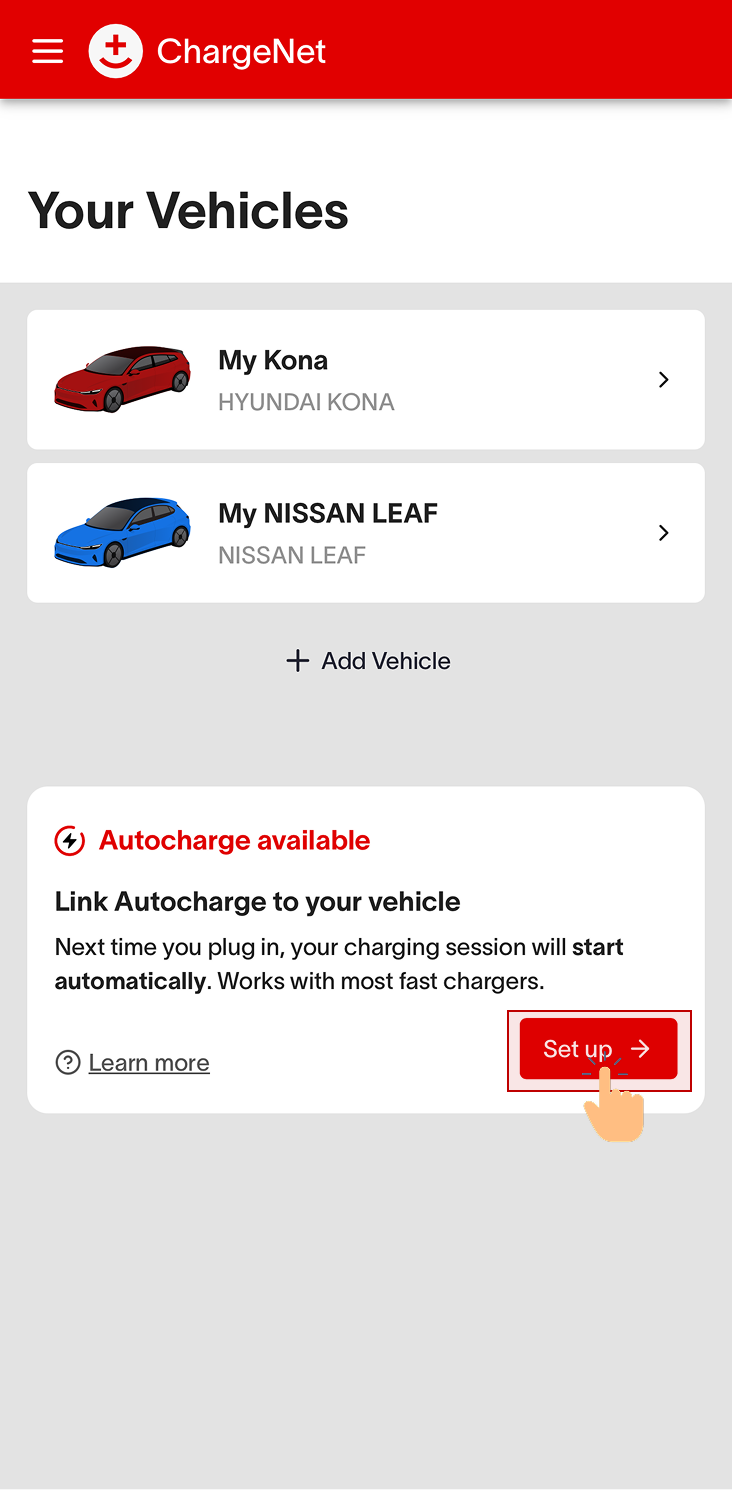
Still do not see the prompt?
Your vehicle may be incompatible. Compatibility depends on factors like make, model, year, country of manufacture, and software version. To learn if your car is compatible, see https://support.charge.net.nz/support-hub/automatic-charging-compatibility. Some cars lack a unique and consistent identifier, so they cannot be authorised to start charge sessions automatically.
Your vehicle identifier may have appeared on multiple ChargeNet accounts recently. To confirm your car's ownership and unique identifier, if detected across multiple ChargeNet accounts in recent months, you cannot link it to Autocharge. This may result from:
-
Sharing the vehicle with family and friends across multiple ChargeNet accounts.
-
Recently purchasing a second hand vehicle that charged with us on a different account.
If so, please wait a few months while charging your car on a single ChargeNet account only. We will prompt you to link Autocharge once your car has been uniquely detected on your ChargeNet account for a few months.