

Autocharge is only available for most CCS vehicles. Find out if your vehicle supports Autocharge here.
1. Log in to the ChargeNet app.
2. Go to the “Vehicles” tab in the navigation menu and add your EV.
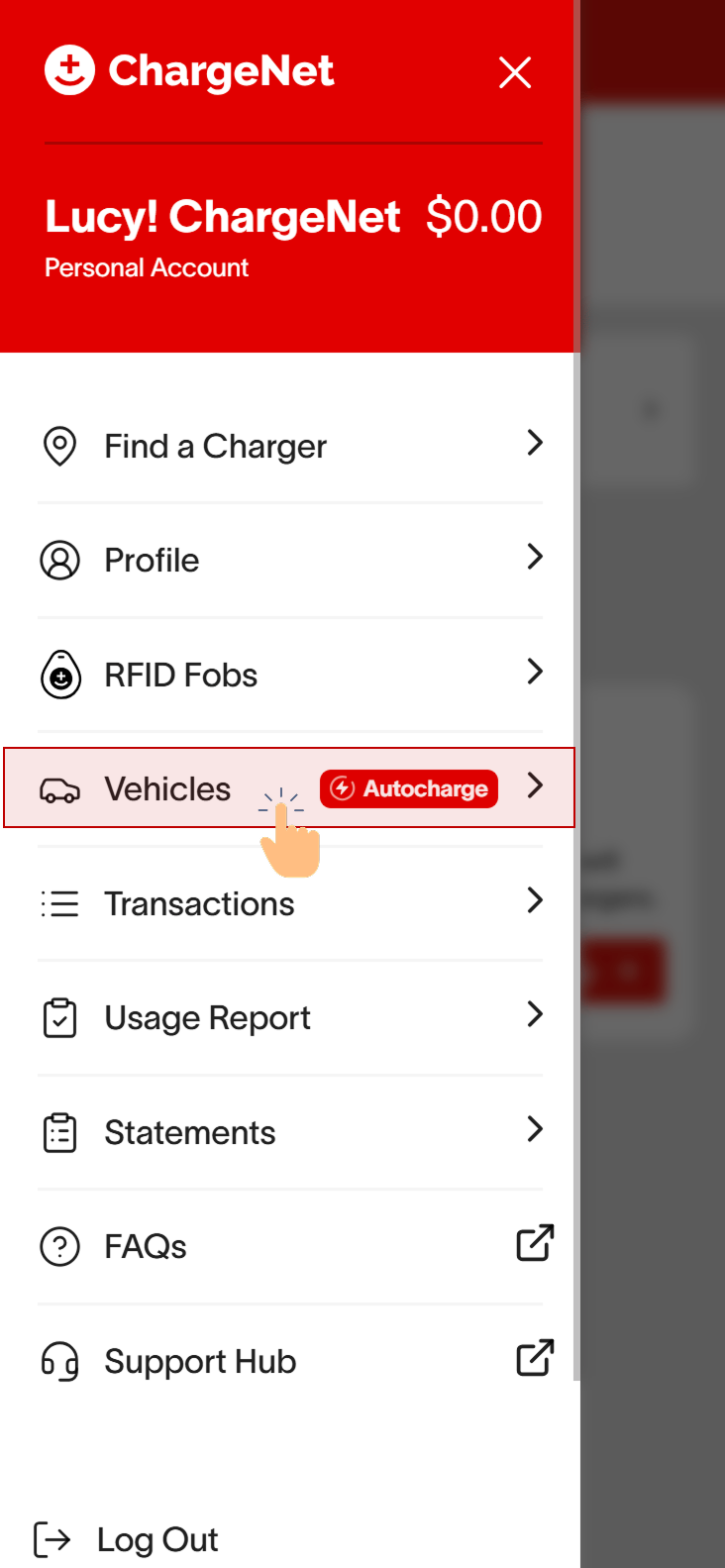
3. If your EV is compatible with Autocharge, you’ll see a prompt to enable Autocharge.
On the vehicles page, you should see a prompt that looks similar to the below if you have Autocharge compatibility for at least one vehicle detected on your account. You may also see a similar prompt while charging your vehicle.
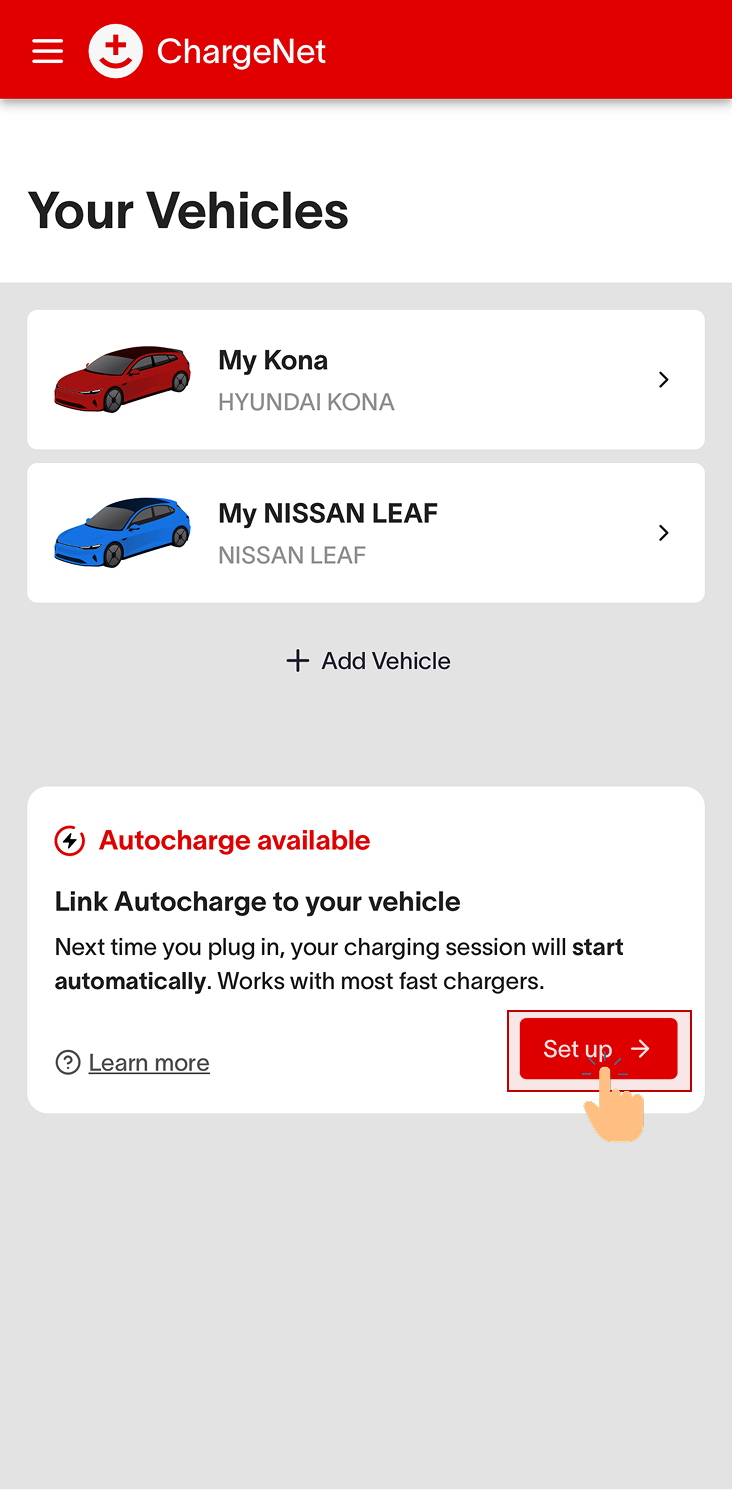
👁️ Looking for the prompt?
If you have a CCS vehicle and do not see the Autocharge prompt, you may need to charge with us a few more times at compatible chargers. If you still do not see the prompt, your vehicle may not be compatible.
4. Click “Set up” and follow the steps to link Autocharge to your EV!
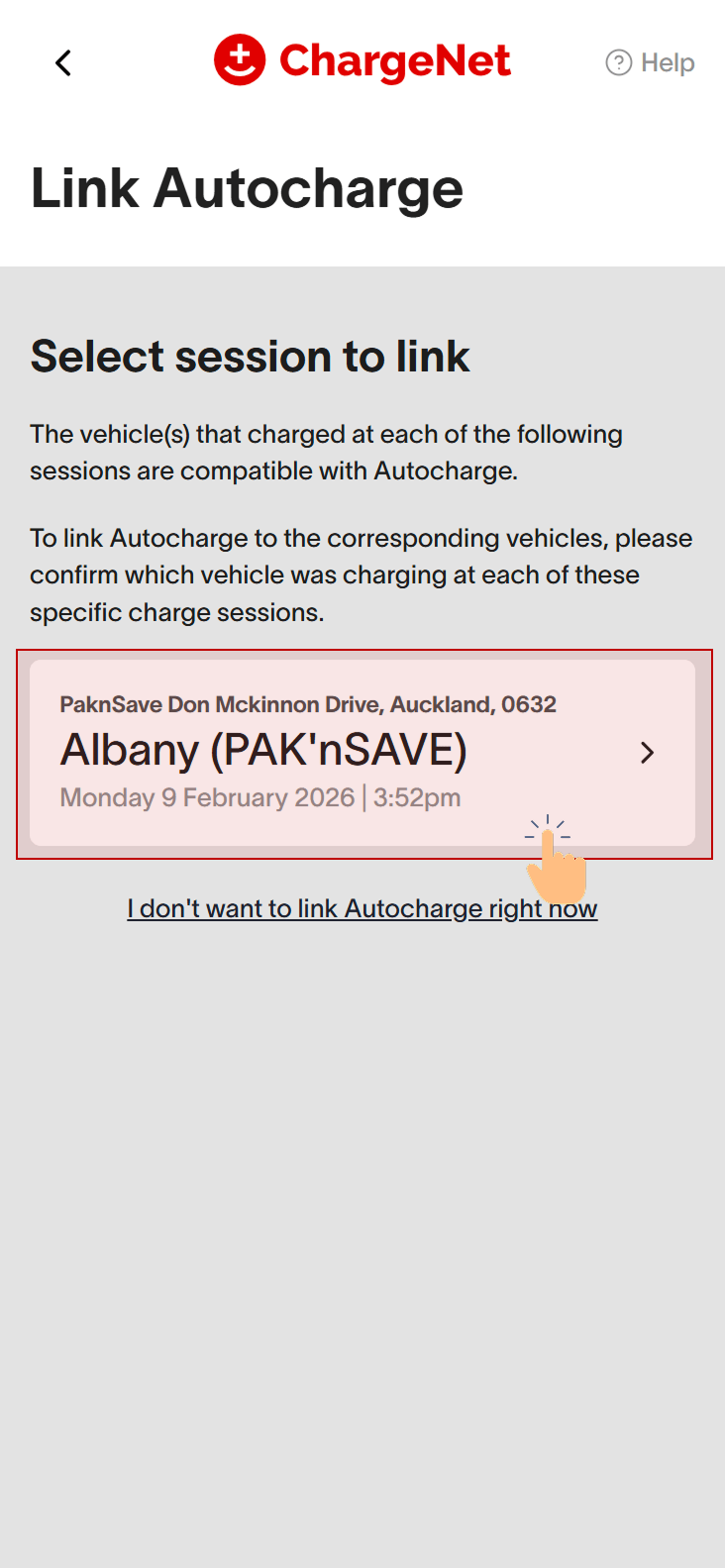
As soon as you see the prompt, click “Set up” to begin linking your EV to Autocharge. You will be prompted to first select an eligible charging session, then confirm exactly which vehicle charged at that session.
First, select an eligible charging session.
Next, confirm which vehicle charged at that specific session.
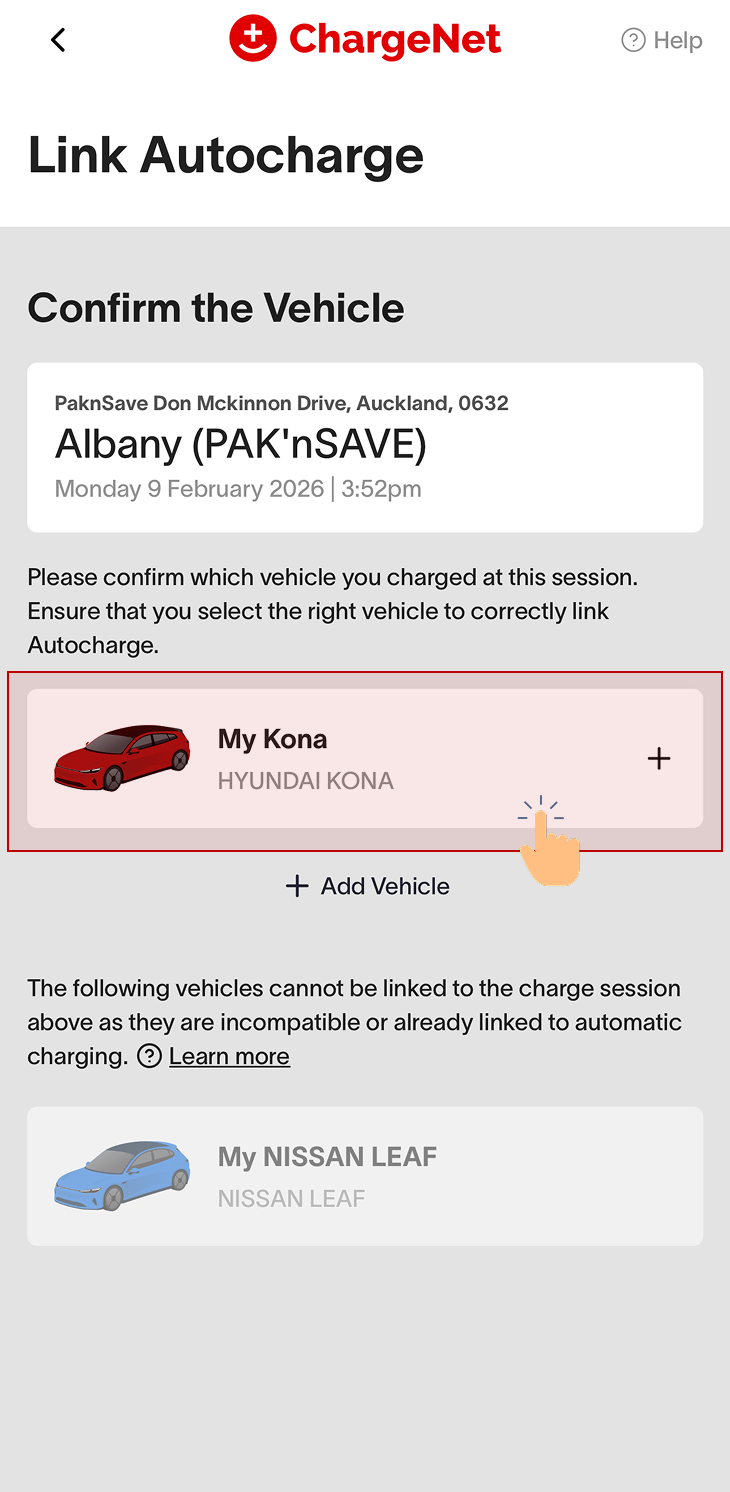
Please ensure that you select the correct EV that charged at each eligible session to ensure the Autocharge link is set up correctly on the right car.
You may also view set up instructions in the videos below:
If you are seeing this prompt on the “Vehicles” tab, set it up as shown below:
If you are seeing this prompt while charging a compatible vehicle.
If you don’t see the “Autocharge available” prompt, it means your EV is not compatible or has not yet charged enough times at our chargers. Autocharge becomes available once your EV has completed at least two charging sessions at compatible ChargeNet stations in the past 12 months, and has not been detected on other ChargeNet accounts recently.
Autocharge stays active as long as the vehicle and Autocharge link remains added under your existing account. If you create a new account, you’ll need to delete the vehicle from your old account, then add and re-link your vehicle again on your new account to set up Autocharge.
That’s it - you’re ready to start charging automatically.
Given you’ve successfully linked your vehicle, you’re now set up for Autocharge. The next time you plug in at an Autocharge-compatible charger, your car will start charging automatically without you needing to authenticate with the app or RFID.
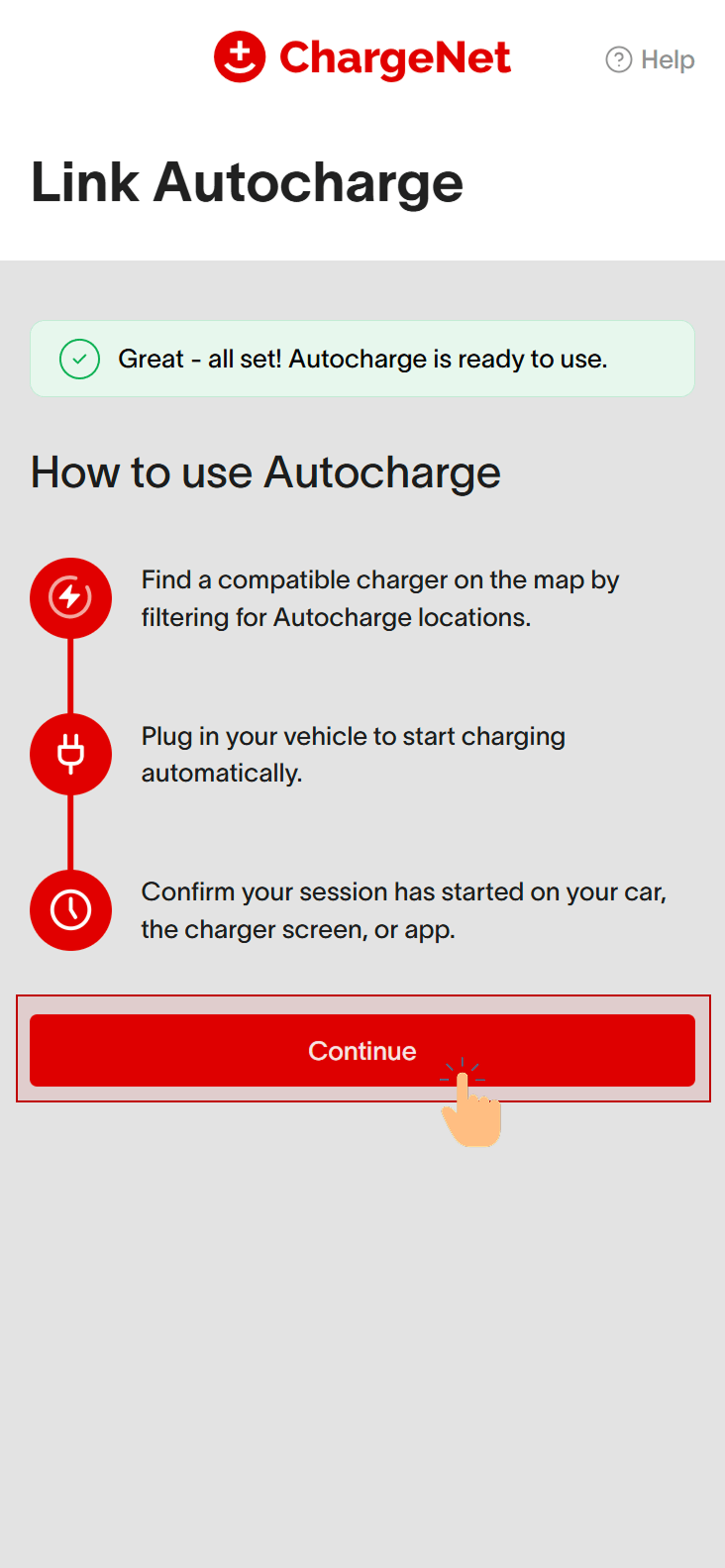
Set up successfully?
See https://support.charge.net.nz/support-hub/how-to-automatically-charge on starting your first Autocharge session!
If you decide to lend or sell your car, or don’t want to use Autocharge anymore, you can disable or remove Autocharge.