

“Automatic charging” refers to both Autocharge and Plug & Charge. To find out more, see https://support.charge.net.nz/support-hub/automatic-charging
First, make sure you have set up automatic charging (either Autocharge or Plug & Charge) in the app.
-
To set up Autocharge, see https://support.charge.net.nz/support-hub/how-do-i-set-up-autocharge
-
To set up Plug & Charge, see https://support.charge.net.nz/support-hub/how-do-i-set-up-plug-charge
Once Autocharge is set up and enabled for your EV, using it is simple.
1. Check that the charger supports automatic charging on the map.
You can find compatible chargers by filtering for automatic charging compatible locations on the map, or by checking the header of the site.
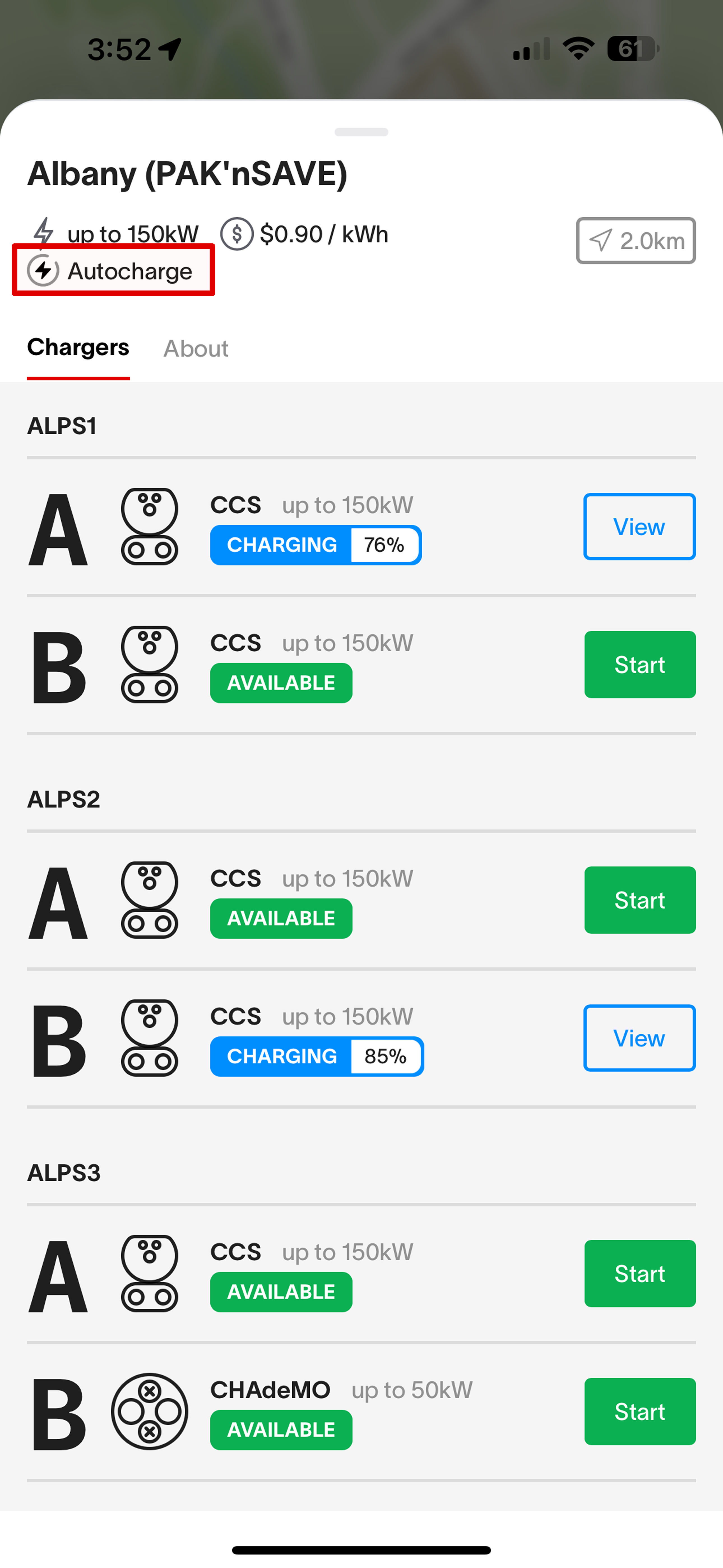
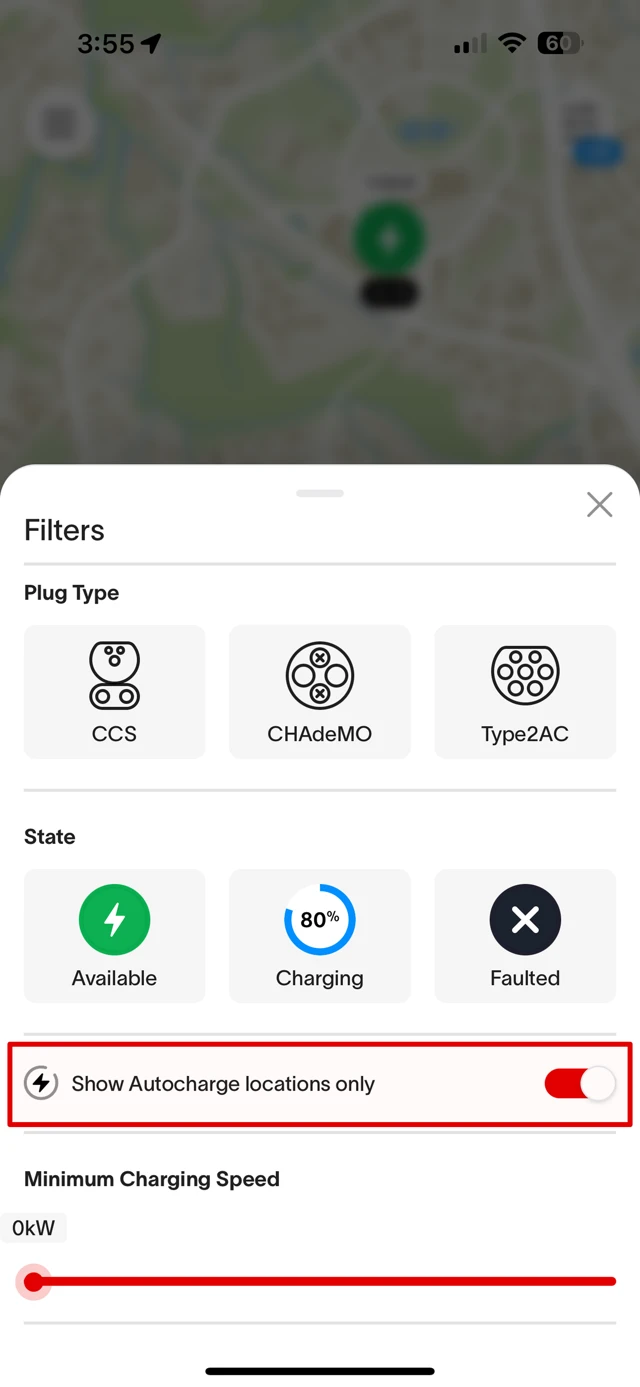
To see more on which chargers support automatic charging, see here for which chargers support Automatic Charging.
2. At the station, plug the charger connector into your EV.
There’s no need to open the app or tap your RFID to start the session. The session should start up automatically as soon as you plug in.
3. Wait for the session to start. Check your EV, the charger screen, or your app to confirm that the charging session has begun.
You can check:
-
Your EV. Whether it has started charging on not should be indicated on your EV. How it is shown depends on your specific EV.
-
The charger screen. It should show whether a charge session is now in progress for the connector that you’re plugged in to.
-
The app. It should show an active session under your account.
4. When finished, stop the session using the charger screen, the app, or in your car.
5. Unplug and return the connector to the charger.