

To start charging automatically with Plug & Charge, you need to generate a digital contract certificate for your ChargeNet charging agreement in the ChargeNet app.
Before you start, check whether your EV manufacturer supports Plug & Charge in New Zealand.
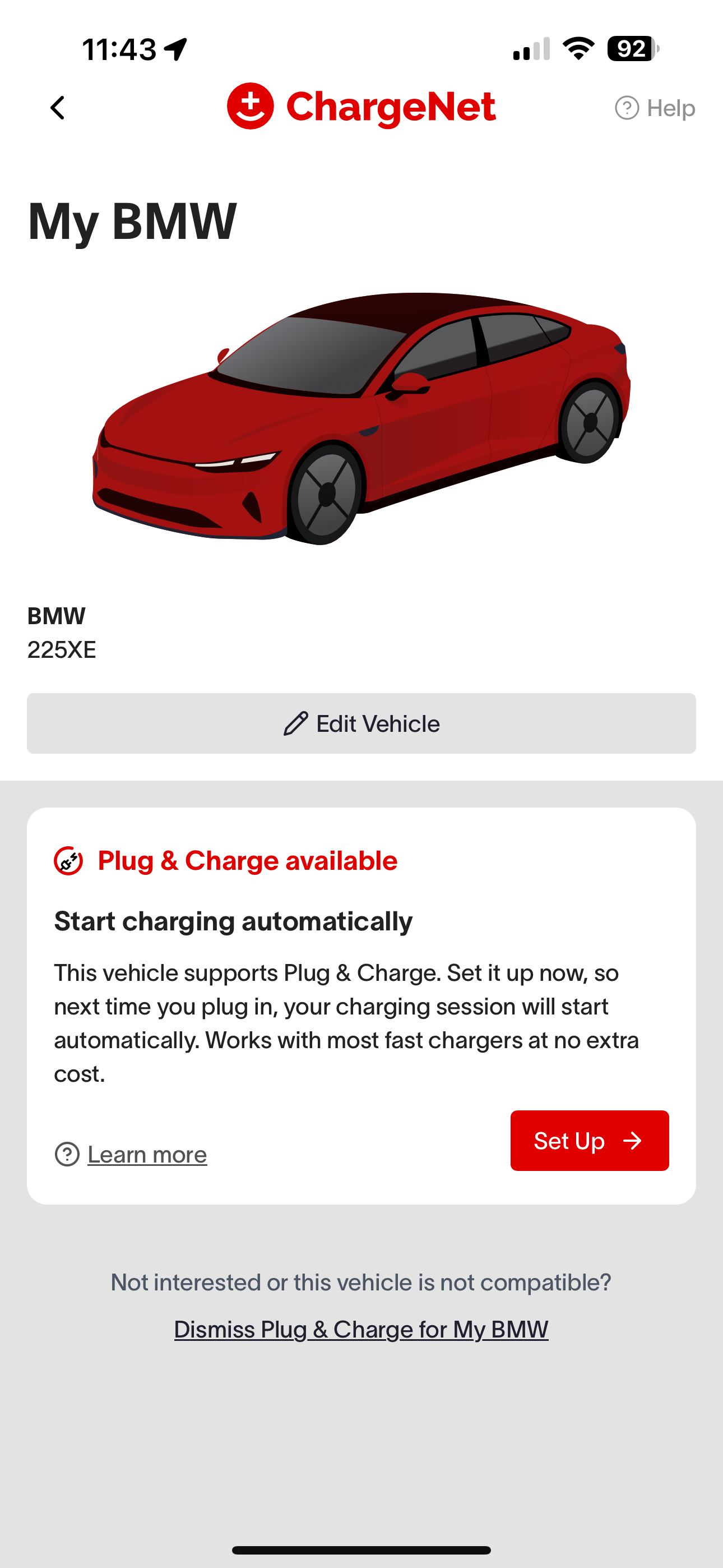
(1) Set up your vehicle in the app
Log in to the ChargeNet app and go to “Vehicles” to add your EV (if you haven’t already).
If your car supports Plug & Charge, you’ll see an option to “Enable Plug & Charge.” Tap this to begin. If you don’t see the option, your EV isn’t currently compatible.
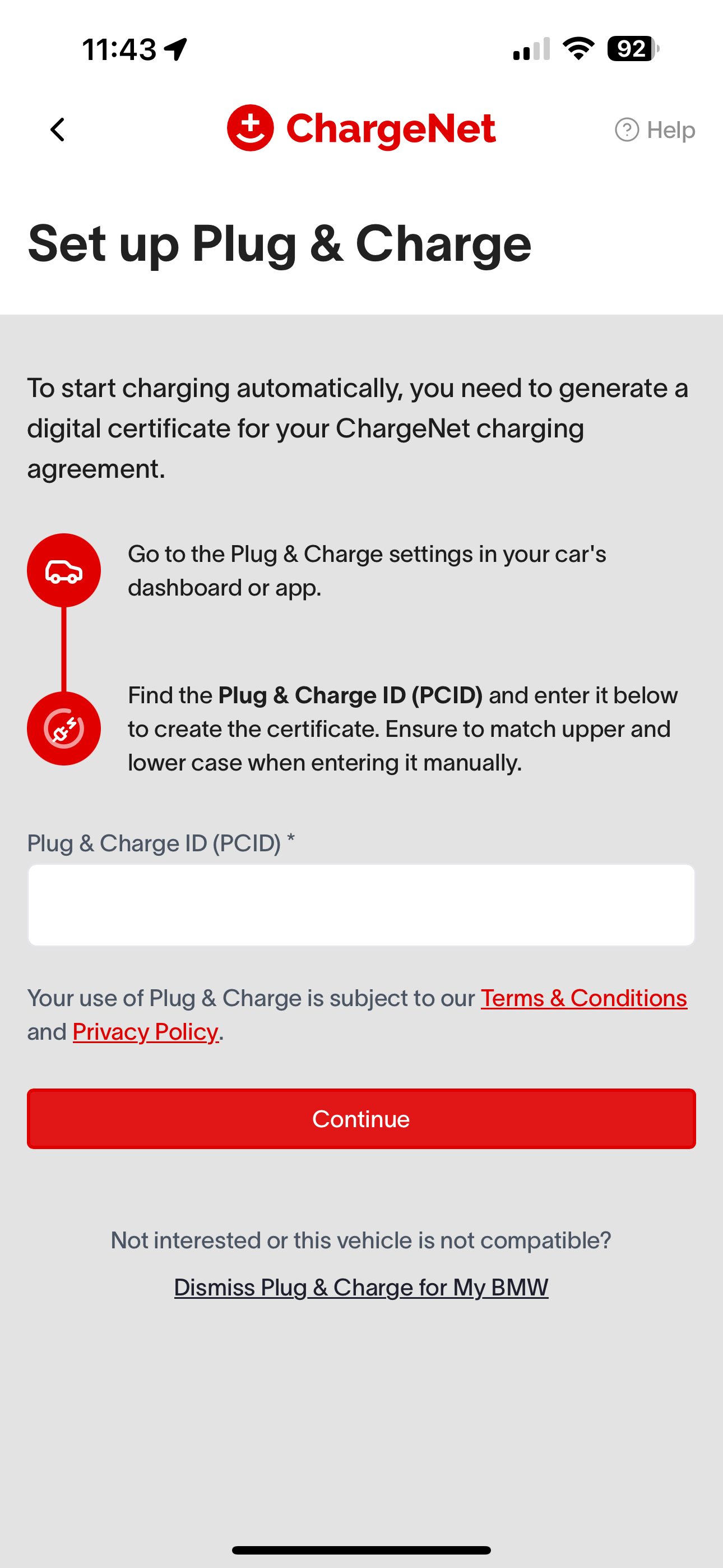
You’ll then be prompted to enter your Plug & Charge ID (PCID). Keep this screen open while you retrieve it from your car.
(2) Find your Plug & Charge ID (PCID)
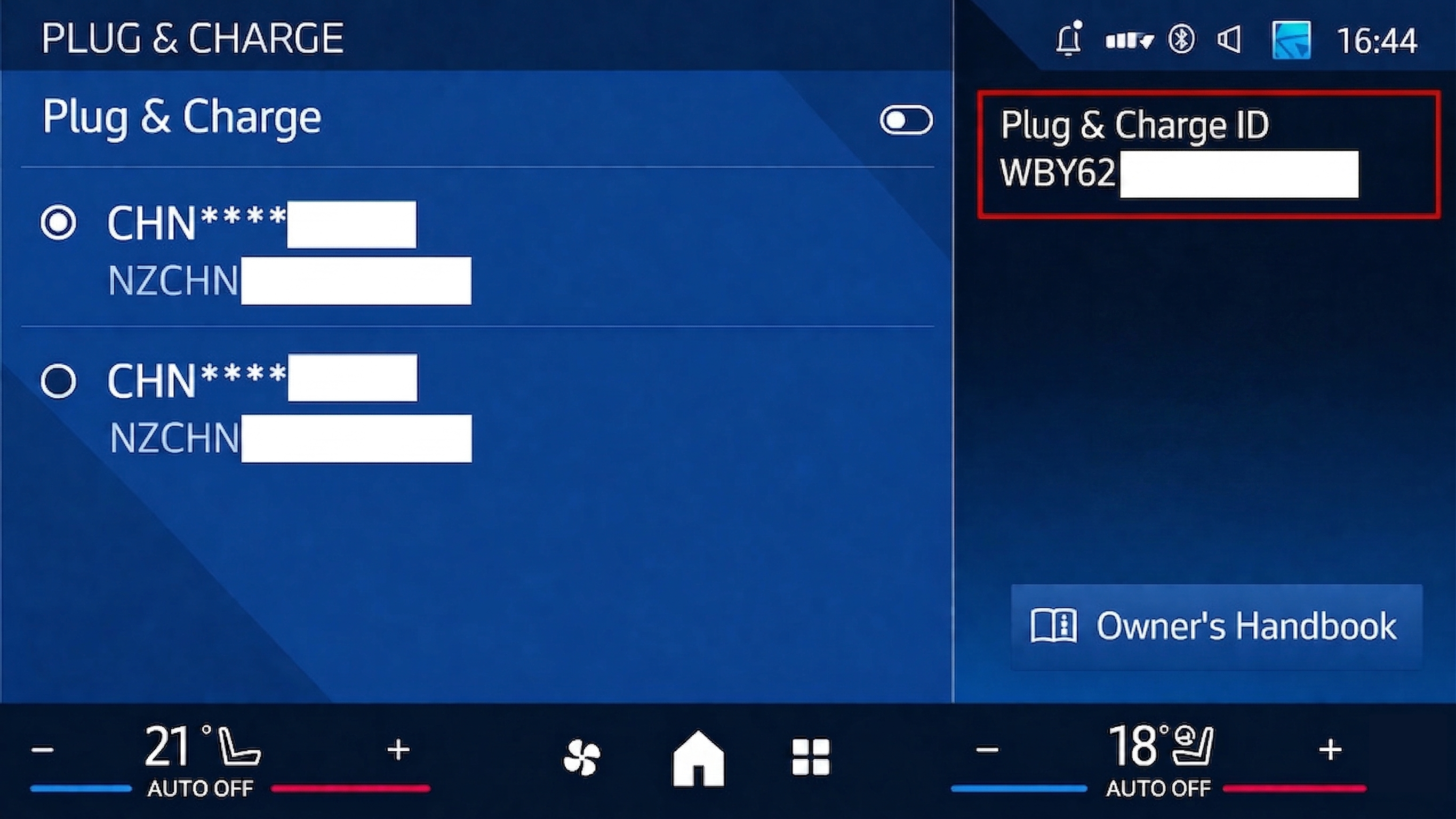
You can find your Plug & Charge ID (PCID) from your vehicle, or through your vehicle manufacturer’s app.
The PCID is usually found in your car’s Charging or Plug & Charge settings, either on the dashboard or in the manufacturer’s app.
If you can’t find it:
-
Make sure Plug & Charge is enabled in your car’s settings.
-
You may need to be set as the primary user in the vehicle.
-
Contact your dealer or manufacturer (your car may need a software update or may not be compatible).
In some vehicles, the PCID is the same as the VIN.
(3) Enter the Plug & Charge ID (PCID) in the ChargeNet app
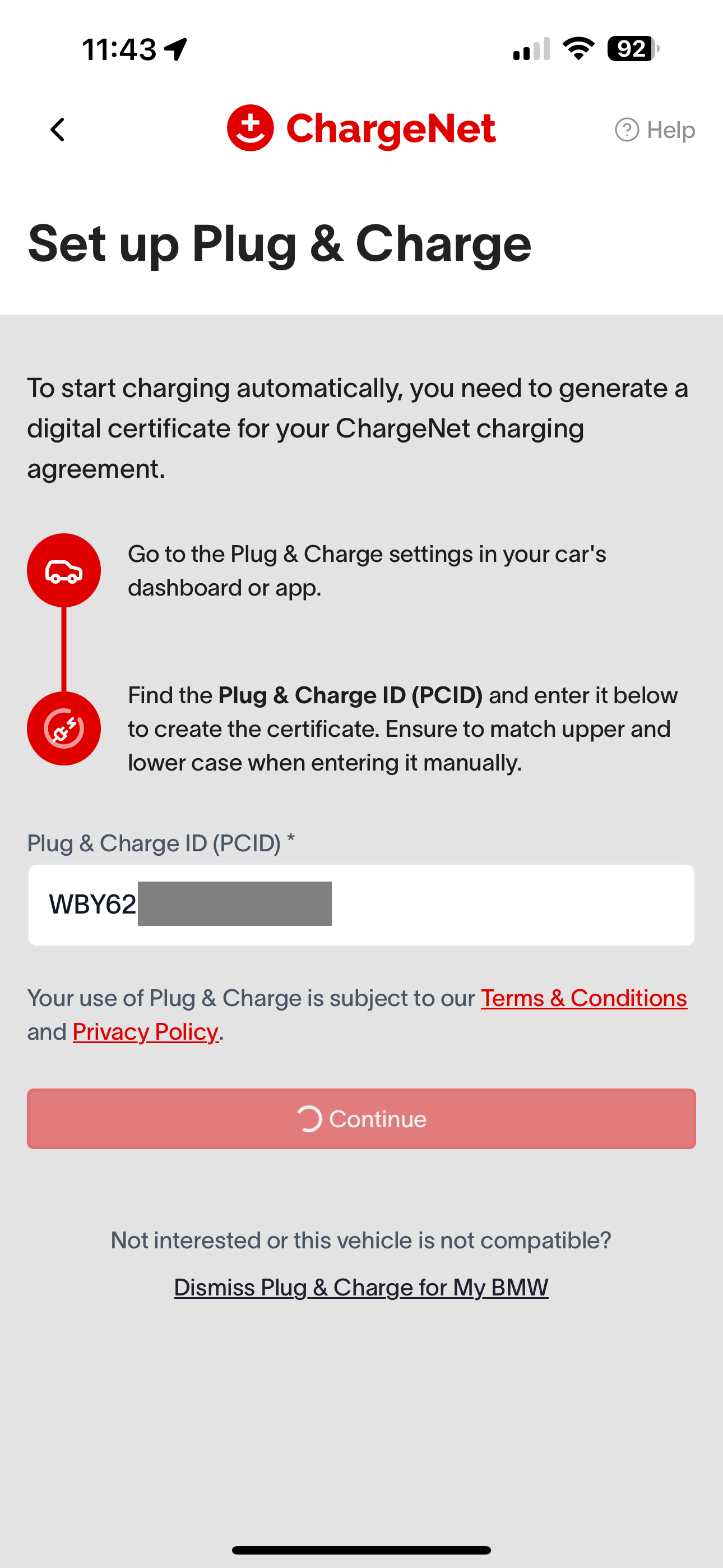
Enter the PCID into the ChargeNet app and click continue. ChargeNet will create a secure certificate that links your car and your ChargeNet account. This may take a few minutes to appear in your car.
You’re all set!
When you plug into a compatible ChargeNet charger, charging will now start automatically.
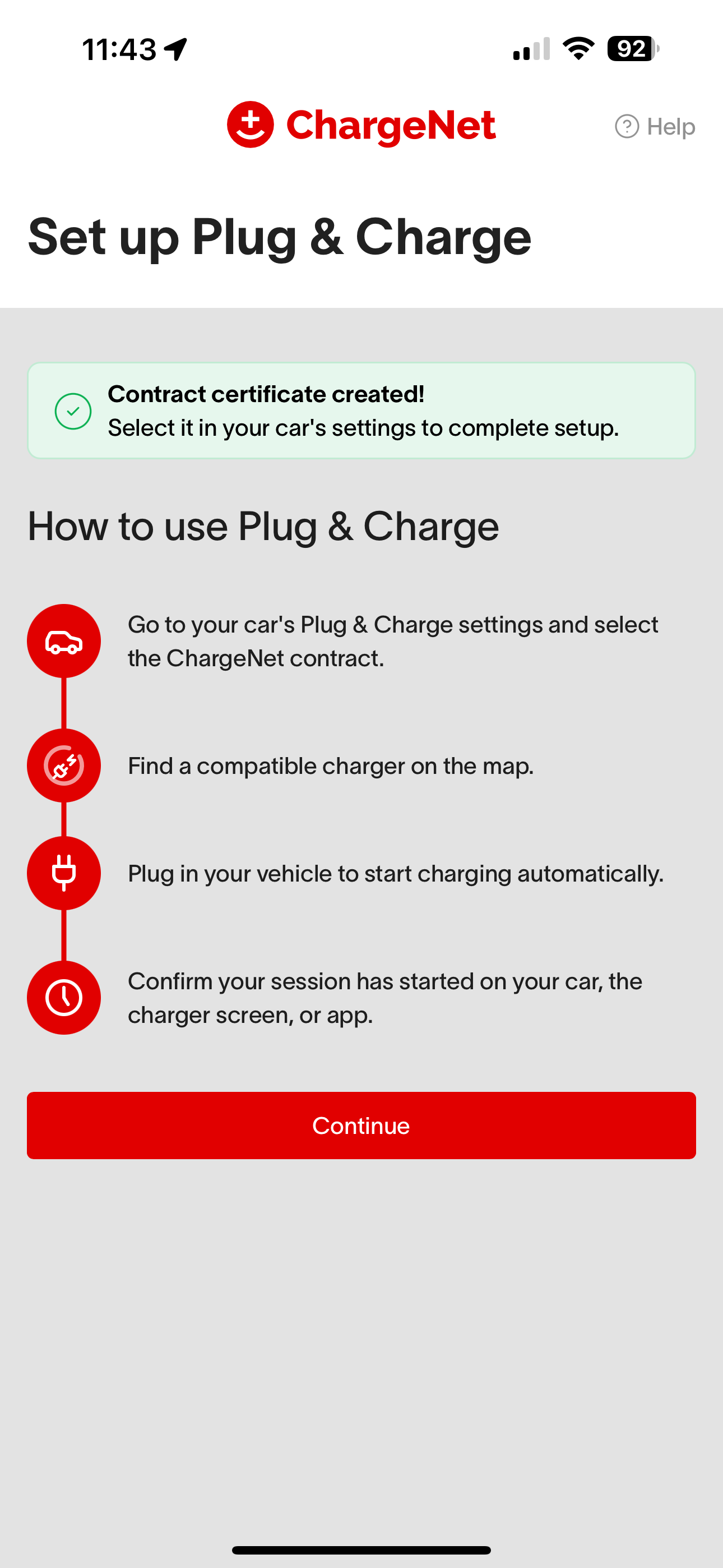
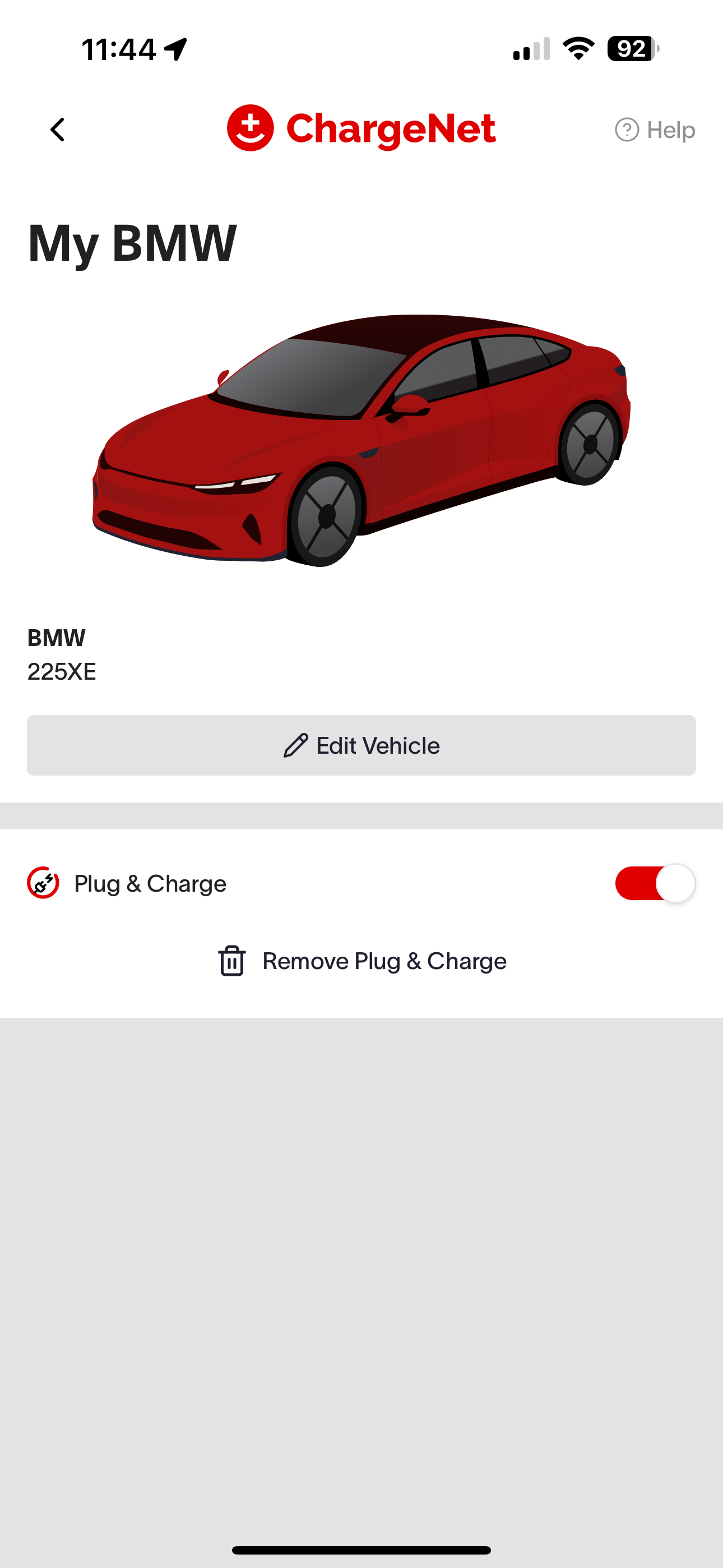
Make sure the Plug & Charge certificate is selected in your car and that Plug & Charge is switched on. You can rename the certificate to make it easier to recognise.
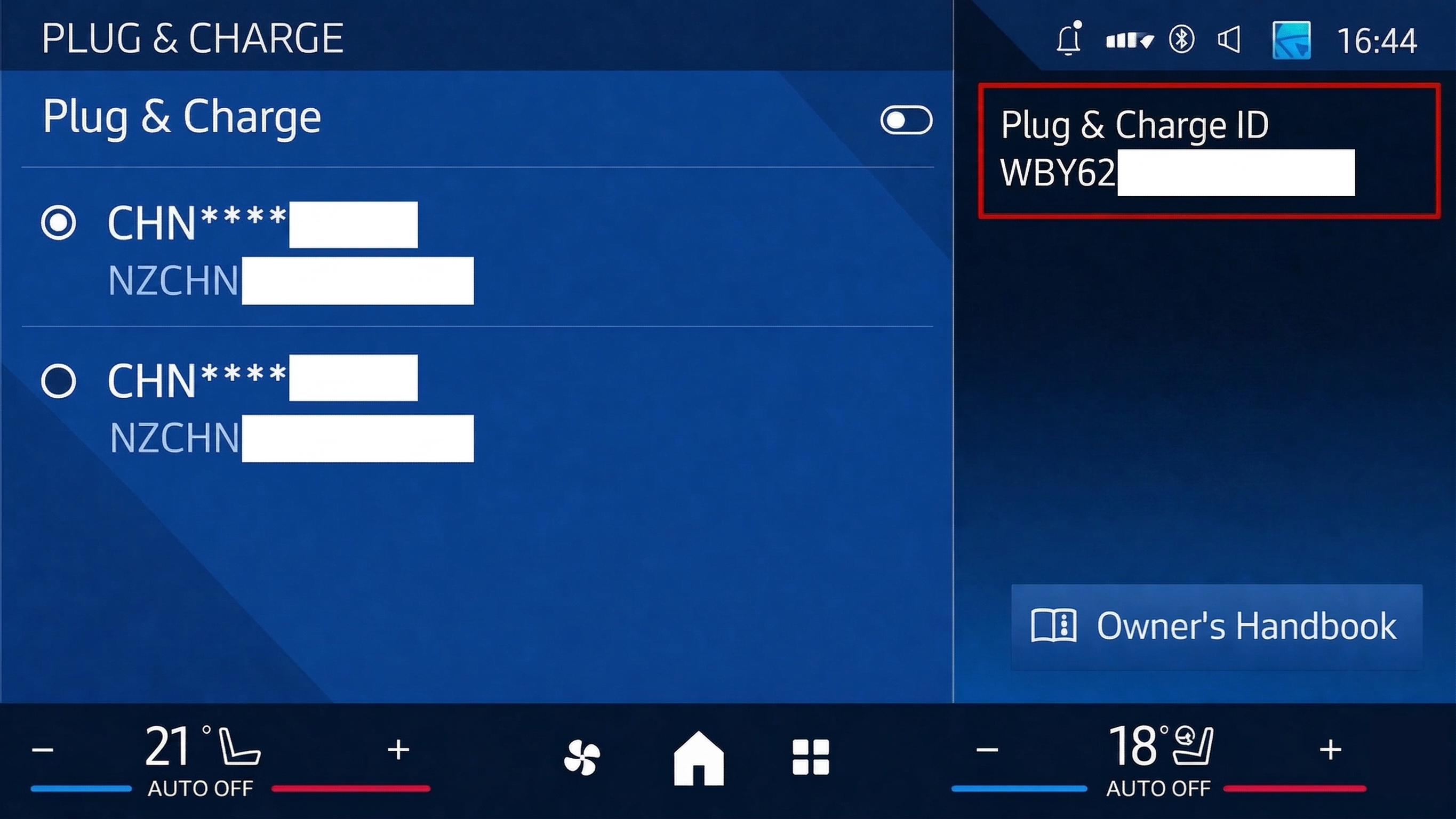
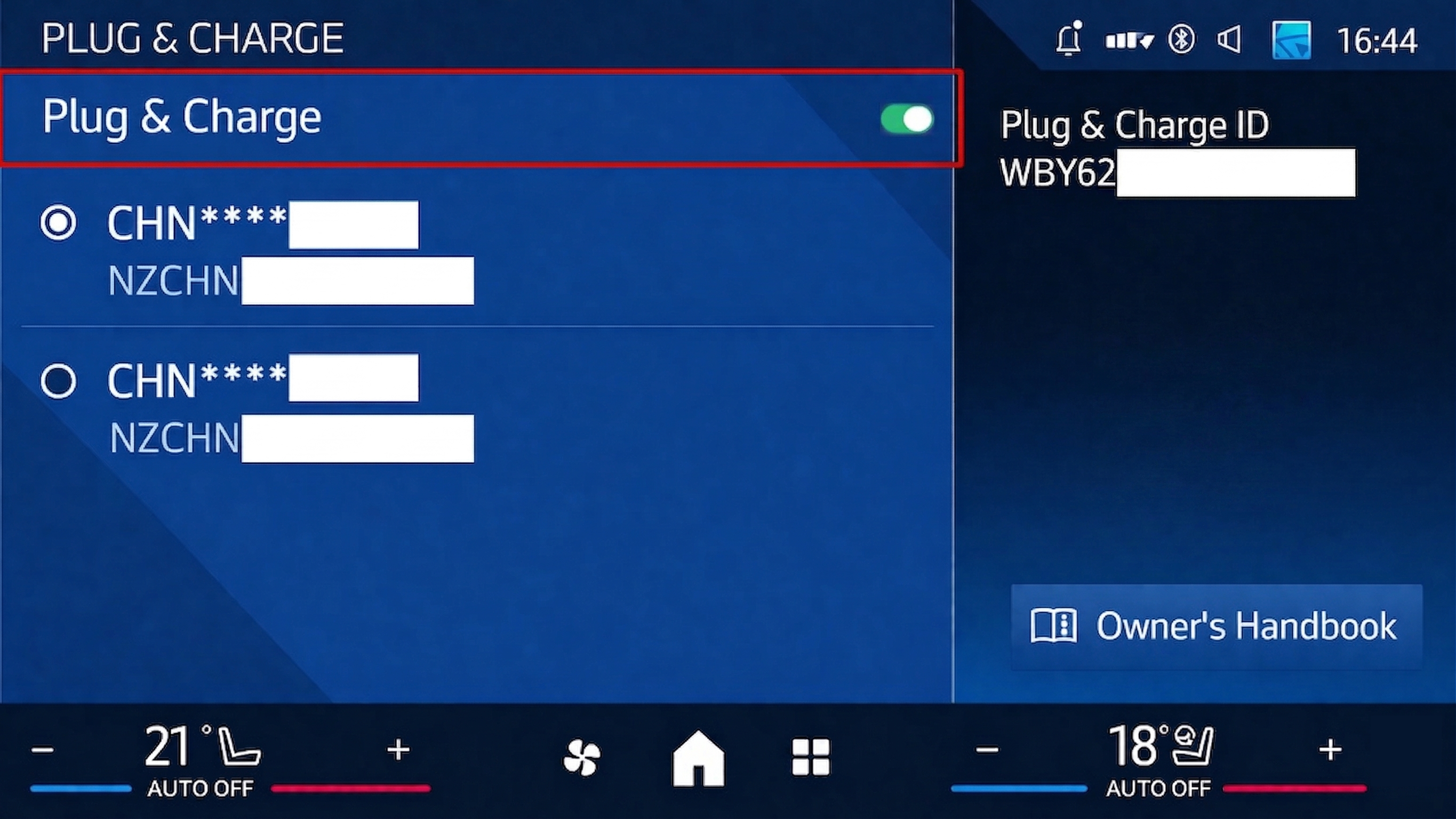
You can link multiple ChargeNet accounts to the same vehicle and switch between them in your car. Plug & Charge stays active until you remove the certificate or delete the vehicle from your ChargeNet account.
See https://support.charge.net.nz/support-hub/how-do-i-link-plug-charge-to-multiple-accounts to learn more about linking Plug & Charge to multiple accounts.