

You can either temporarily pause or permanently remove Plug & Charge for your vehicle using the ChargeNet app. You can also disable Plug & Charge directly in your car or the manufacturer’s app. However, the ChargeNet app will not automatically update to reflect this.
Temporarily pausing Plug & Charge
There may be times where you do not want your Plug & Charge contract to be used, for example, when lending the car to someone else. You can:
-
recommended Turn off a specific Plug & Charge certificate in the ChargeNet app using the toggle in vehicle settings. This stops Plug & Charge for that account only. Other certificates linked to the car may still work.
-
Disable Plug & Charge in your car’s settings. This completely disables Plug & Charge for the vehicle. ChargeNet won’t be notified, and the app will still show your Plug & Charge as active
-
Select a different Plug & Charge contract in your car. Only one certificate can be active at a time. Any unselected certificate won’t be used until it’s chosen again. ChargeNet won’t be notified, and the app will still show your certificates as active.
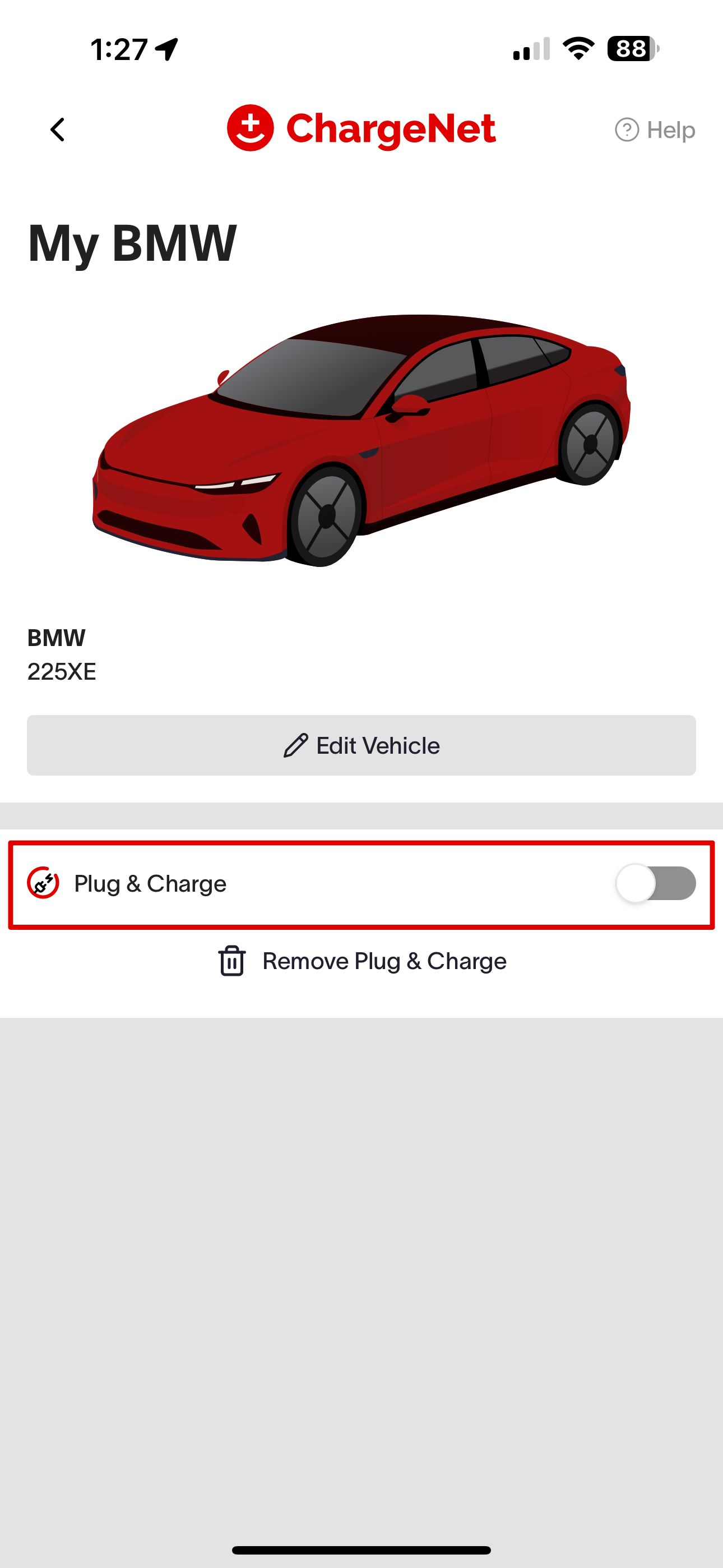
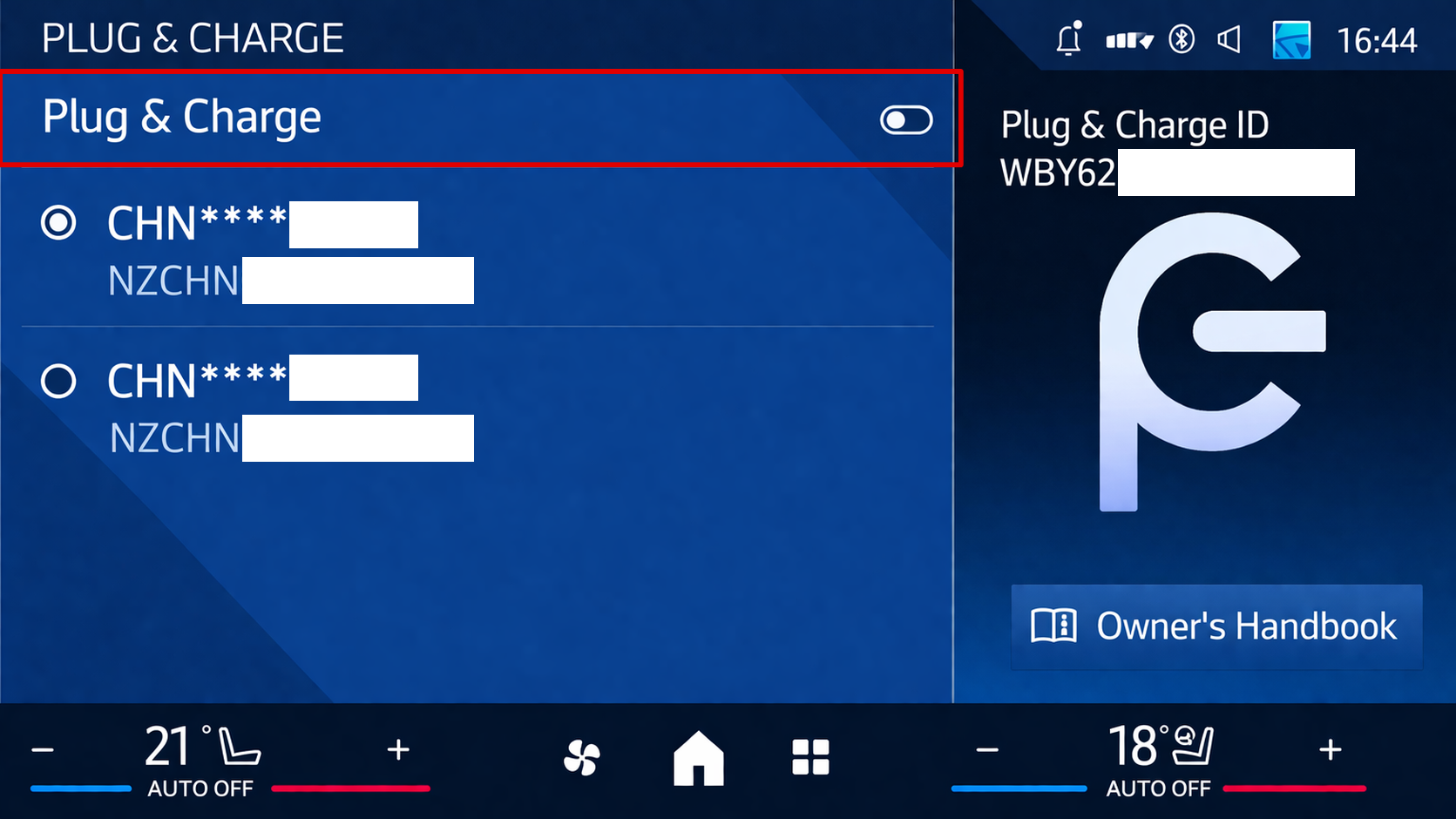
Once Plug & Charge is disabled, your EV will no longer start charging automatically via Plug & Charge. You or others using your EV can still start a session using their RFID or the ChargeNet app. To restart using Plug & Charge, just switch the toggle back on.
Permanently removing Plug & Charge
You can remove a specific Plug & Charge certificate from your EV in the ChargeNet app by clicking “Remove Plug & Charge”. This will delete the Plug & Charge certificate from the ChargeNet app and your EV.
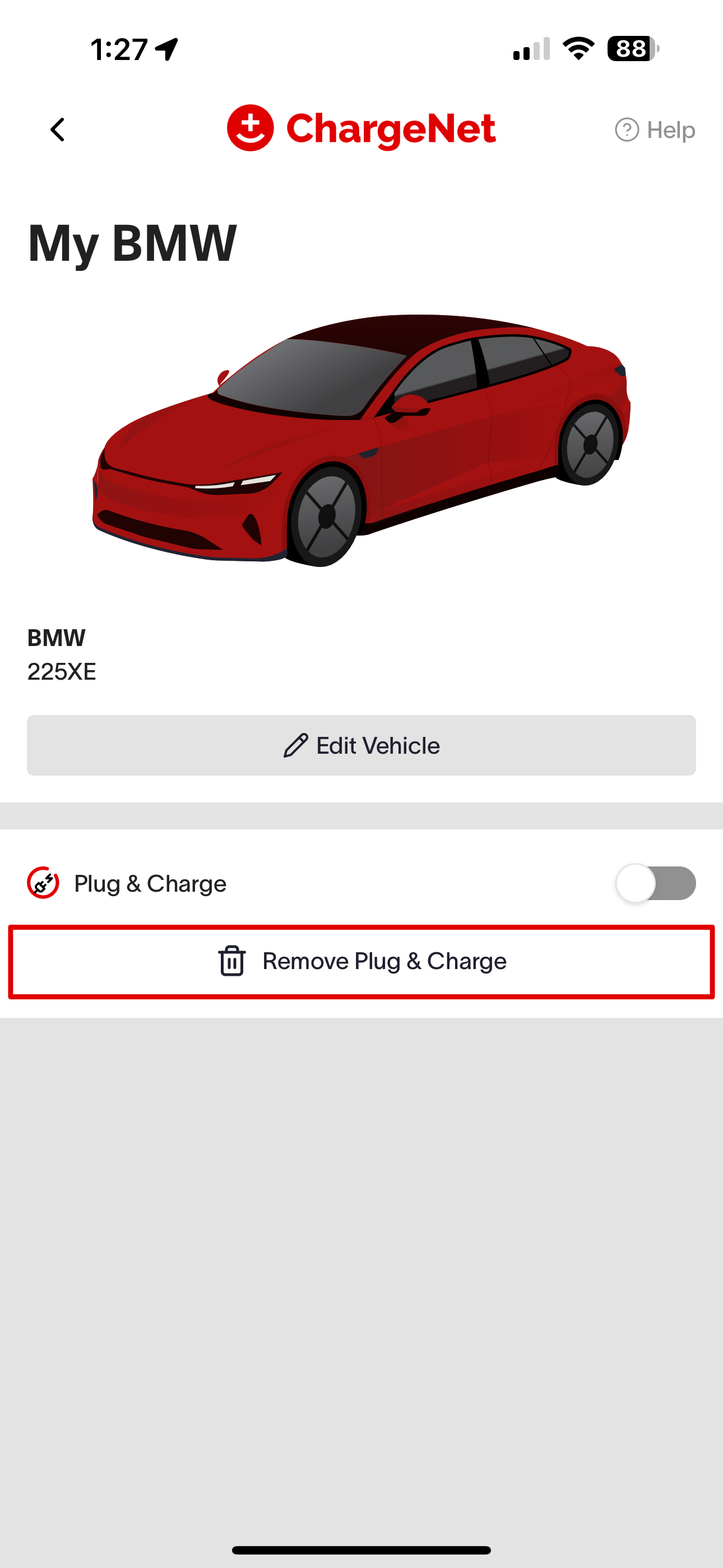
Once removed, your car won’t start a session using Plug & Charge unless another certificate is still active. You can still start a session using their RFID or the ChargeNet app.
Your Plug & Charge contracts will also be removed if you delete the entire vehicle from your ChargeNet account. You can set it up again at any time.
To use Plug & Charge again, you will need to set up your car for Plug & Charge again by following the prompt, entering the Plug & Charge ID, and creating a new Plug & Charge certificate.